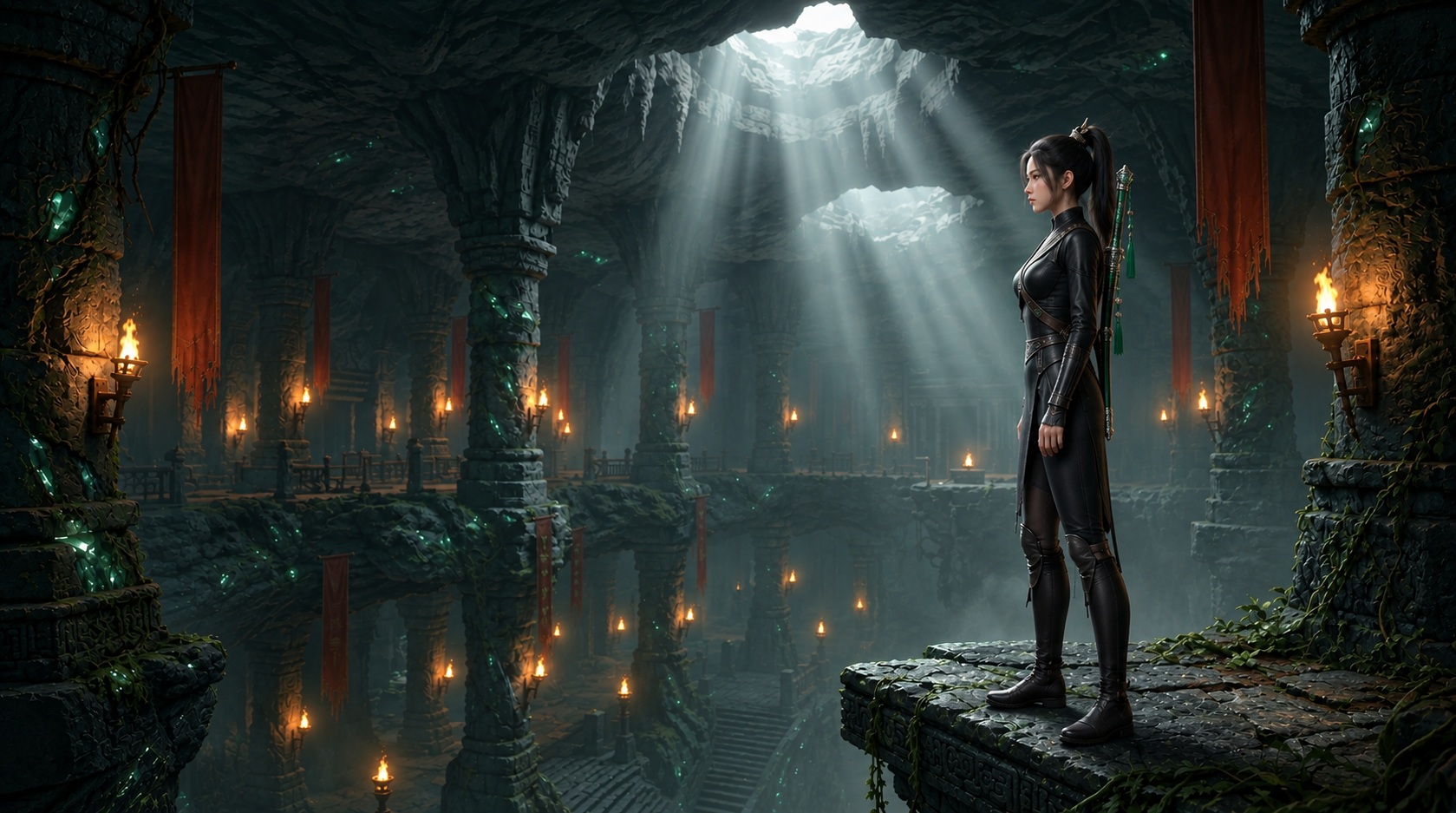
the-jade-crypt
is a 2.5D cinematic platformer built in Godot 4. You play as Lin Yue, an imperial shadow blade descending into the ancestral catacombs beneath Mount Qingcheng. Her mission is to reclaim the Sacred Relics and the Emperor’s Tiger Tally from the rogue warlord General Meng Tian, navigating clockwork death traps, bottomless abysses, martial duels, and submerged cavern waterways along the way.
▶ Play it in your browser : no install, on desktop with a keyboard.
Every game project starts with a core question about constraints: what should the engine do, and what should be handled by code and tooling? For The Jade Crypt, the answer was to lean heavily into Godot 4’s 3D engine for atmosphere and lighting, while locking gameplay physics to a strict 2D cross-section \(Z = 0\).
What began as a weekend prototype quickly became an exercise in software engineering:
- Character Animation: I started with a procedural joint puppet animated entirely with trigonometric sine waves in GDScript, before pivoting to a rigged skeletal character driven by Quaternius’s Universal Animation Library and custom-baked clips.
- Quality Assurance & Verification: I backed up manual playtesting with a headless rule engine and a state-space Breadth-First Search (BFS) solver that I run over every chamber file whenever a map changes.
- Level Authoring: Instead of manually positioning hundreds of 3D cubes in the Godot editor, levels are authored as ASCII text maps where characters define a 1-meter grid—the ultimate rapid whiteboxing workflow.
- The AI Toolchain: I tied the game directly into sibling projects—
printablefor 3D GLB assets, Google Flow for cinematic prologue cutscenes, andpolyphon-audiofor BGM and local voiceover narration.
Here is the deep dive into how it is built.
1. Why 2.5D in Godot 4?
In game development, the term 2.5D can mean several things. In The Jade Crypt, it has a precise architectural definition: the entire scene is rendered in 3D by Godot 4’s Compatibility renderer (the OpenGL path that also runs in the browser), with 3D geometry, real-time lights and shadows, and glow, but player kinetics and collision are strictly locked to the \(Z = 0\) planar cross-section.
                     Visual Rendering Plane (Z = -8.0m to Z = 0.0m)
 ┌────────────────────────────────────────────────────────────────────────┐
 │  [Themed Backdrop]       [Pagoda Pillars]        [Hanging Lanterns]    │
 │  Z = -8.0m               Z = -1.5m to -3.0m      Z = -0.6m             │
 └────────────────────────────────────────────────────────────────────────┘
                                     │
                                     ▼
 ┌────────────────────────────────────────────────────────────────────────┐
 │  [StaticBody3D Collision]    [CharacterBody3D]     [Area3D Triggers]   │
 │  Platforms & Slabs           Player & Sentinels    Spikes & Chalice    │
 └────────────────────────────────────────────────────────────────────────┘
Gameplay Physics Plane (Z = 0.0m)Why choose this instead of pure 2D or free 3D?
- Flawless Mechanical Precision: In pure 3D platformers, missing a ledge because the player drifted \(5\text{ cm}\) along the depth axis is a constant source of player frustration. Locking \(Z = 0\) eliminates depth-axis drift from gameplay. If a jump spans 4 cells on the planar grid, its outcome is independent of depth-axis alignment.
- Atmospheric Depth Without Parallax Hacks: Rather than slicing 2D sprites into fake multi-plane parallax layers, I place genuine 3D models at real-world depths:
| Layer Depth | Entities | Purpose |
|---|---|---|
| \(Z = 0.0\text{m}\) | Player, sentinels, platform colliders, spikes, gates | Active gameplay lane |
| \(Z = -0.6\text{m}\) to \(-0.7\text{m}\) | Floor braziers (T) and hanging bronze lanterns (t) |
Lighting sources recessed just behind the hero |
| \(Z = -1.2\text{m}\) to \(-3.0\text{m}\) | Tapestries, terracotta statues, foundry gears | Architectural storytelling and silhouettes |
| \(Z = -6.5\text{m}\) | The Great Bell of the sunken belfry | A landmark hanging in front of the backdrop |
| \(Z = -8.0\text{m}\) | Panoramic high-resolution matte backdrops | Cavern gloom, mountain dawn, and subterranean seas |
The tracking camera (scripts/core/camera.gd) is deliberately simple: it holds a fixed offset in front of Lin Yue, smoothly follows her on X and Y, and adds trauma-based screen shake for impacts and deaths.
2. Character Evolution: From Procedural Puppets to Skeletal Locomotion
Character creation went through two distinct eras. The story of why I started with procedural animation—and why I ultimately replaced it—is a useful lesson in choosing the right abstraction.
Phase 1: The Procedural Puppet in Code
In the earliest builds, I did not want external 3D asset dependencies or Blender rigging pipelines to slow down rapid gameplay experimentation. I wanted to test running leaps, coyote time, and two-stage ledge grabs immediately.
So Lin Yue was constructed inside player.tscn as a hierarchical procedural puppet built entirely out of basic Godot nodes and primitive 3D meshes (capsules, cylinders, and boxes). That puppet no longer exists in the repository—the scene now holds the skeletal rig—but in those early builds it looked like this:
Player (CharacterBody3D)
├── CollisionShape3D (Capsule: 1.38m standing, 0.90m crouched)
└── VisualPivot (Node3D, rotates Y between +90° and -90°)
    ├── Head (Node3D: face, eyes, hair crown, jade hairpin meshes)
    ├── PonytailPivot (Node3D with secondary drag)
    ├── Torso (Node3D: neck, mandarin collar, robe meshes)
    ├── ArmL / ArmR (Node3D pivots)
    ├── LegL / LegR (Node3D pivots)
└── SwordHip (Node3D with dynamic sway)In player.gd, locomotion wasn’t played from an animation track—it was calculated frame-by-frame using harmonic oscillators:
# Early procedural gait cycle from player.gd (since replaced)
func _update_limb_animations(delta: float) -> void:
    if current_state == State.DEAD:
        return

    if current_state == State.HANGING:
        # Ledge hanging: arms reach straight up, legs dangle with gentle sine sway
        if arm_l: arm_l.rotation.x = lerp_angle(arm_l.rotation.x, -2.7, 16.0 * delta)
        if arm_r: arm_r.rotation.x = lerp_angle(arm_r.rotation.x, -2.7, 16.0 * delta)
        if leg_l: leg_l.rotation.x = lerp_angle(leg_l.rotation.x, 0.2 + sin(_anim_time * 2.0) * 0.08, 10.0 * delta)
        if leg_r: leg_r.rotation.x = lerp_angle(leg_r.rotation.x, 0.1 + sin(_anim_time * 2.0 + 0.6) * 0.08, 10.0 * delta)
        return

    # Decay landing squash
    _landing_squash = move_toward(_landing_squash, 0.0, 0.45 * delta)

    if is_on_floor():
        var horiz_speed = abs(velocity.x)
        if horiz_speed > 0.25:
            var speed_ratio = clamp(horiz_speed / run_speed, 0.3, 1.4)
            _anim_time += delta * 13.0 * speed_ratio

            var is_running = horiz_speed > (walk_speed + 0.4)
            var leg_amp = 0.72 if is_running else 0.42
            var arm_amp = 0.65 if is_running else 0.32

            # Harmonic counter-swing
            var leg_swing = sin(_anim_time) * leg_amp
            if leg_l: leg_l.rotation.x = lerp_angle(leg_l.rotation.x, leg_swing, 18.0 * delta)
            if leg_r: leg_r.rotation.x = lerp_angle(leg_r.rotation.x, -leg_swing, 18.0 * delta)

            var arm_swing = -sin(_anim_time) * arm_amp
            if arm_l: arm_l.rotation.x = lerp_angle(arm_l.rotation.x, arm_swing, 18.0 * delta)
if arm_r: arm_r.rotation.x = lerp_angle(arm_r.rotation.x, -arm_swing, 18.0 * delta)This procedural approach offered immense control:
- Instant Response: No animation blend trees or cross-fade lag. If the player reversed direction, the body pitched backward into friction instantly.
- Dynamic Physics Lean: Running speed tipped
VisualPivot.rotation.xforward by up to \(0.12\) rad (about \(7^\circ\)), giving a sense of sprint momentum. - Secondary Dynamics: The ponytail lagged behind player velocity using spring dampening, and landing compressed the character vertically before bouncing back.
The Breaking Point
Procedural puppets work remarkably well for basic platformers. But The Jade Crypt wasn’t just a running and jumping demo; it grew to include Wuxia martial arts:
- Two-hit Jian sword attack chains and recovery cancels
- A held high guard that deflects darts and halberd thrusts
- Low-profile crouch-crawling through 1-block shafts and ducking under swinging blades
- Sprinting martial slides and combat rolls for dodging in a duel
- 4-way subterranean swimming, diving, and waterline surface breaching
- Hauling \(1\text{m}^3\) carved stone puzzle blocks with a taut leather shoulder tow strap
Attempting to code natural anatomical articulation for a dual-strike sword flourish or a fluid swimming breaststroke with trigonometric equations became a maintainability nightmare. The joints looked robotic, lacked weight, and failed to convey the fluid grace of traditional martial arts.
Phase 2: Skeletal Mesh & Quaternius’s Universal Animation Library
I made the decision to migrate to a standard rigged humanoid skeleton. But sourcing, rigging, and retargeting dozens of disparate animation clips from scratch can stall a project for months.
The turning point was discovering Quaternius’s Universal Animation Library:
- Universal Animation Library [Standard].zip (43 animations in the free Standard edition)
- Universal Animation Library 2 [Standard].zip (43 more, focusing on parkour, transitions, and locomotion, plus the female mannequin)

You can download both packs directly from the official sources:
- Quaternius Official Website:
- itch.io:
Quaternius releases these libraries under CC0, making them an invaluable resource for the independent game development community.
I imported the female mannequin mesh into assets/models/characters/player_lin_yue.glb, retargeting the Universal Animation Library clips directly to her skeleton. The core locomotion suite—idle, run, sprint, crouch-walk, combat roll, sword slashes, swimming, and death collapses—instantly gave Lin Yue the physical presence she needed.
Splicing Custom Wuxia Clips: The Headless Baking Pipeline
The Universal Animation Library covers general combat and locomotion, but it had no clips for our custom platforming mechanics:
Ledge_Hang: Hanging motionless from an abyss ledge by her fingertips.Ledge_Climb: A two-stage vault pulling her body weight up onto the platform.Air_Kick: The airborne Qinggong double-jump pose (knee tuck and heel drive).Sword_Guard: A two-handed high defensive Wuxia guard held indefinitely.Pull: Leaning forward into a shoulder strap while dragging a heavy stone cube.
Instead of hand-animating these in Blender and risking skeleton mismatch, I wrote command-line tools in GDScript that load the skeleton headless, pose her bones mathematically, splice in clips from UAL2 (such as ClimbUp_1m), and serialize them into optimized Godot .res animation resource files:
# Bake Lin Yue's custom posed animation clips
godot --headless --script tools/bake_player_clips.gdWhen the player loads, player.gd checks that every baked .res file exists and that the length of ledge_climb.res still matches the climb timings declared in code (the CLIMB_* constants). If someone alters the climb without rebaking the clip, the game reports the mismatch, and the command to fix it, as soon as the chamber starts.
3. The Validation Engine: From Monolithic Script to Scalable Rule Engine
If you author 37 chambers filled with pressure plates, timed sprint gates, swinging pendulums, crumbling slabs, and dart traps, how do you know every chamber is actually beatable?
The Early Days: The 650-Line Monolith
In the early builds, validation was an internal function inside
scripts/core/chamber_loader.gd
called _validate_chamber(). It is gone from the code you can read today.
It was a classic architectural anti-pattern:
- Scene Tree Coupling:
ChamberLoaderinherits fromNode3D. Running headless validation meant instantiating spatial scene tree nodes in memory, resulting in orphan node leaks unless explicitly cleaned up by hand. - Entangled Concerns: A single function, 650 lines at its peak, tried to verify ASCII character boundaries, inspect light distances, check vertical headroom, and run a crude flood fill.
- No Scalability: When I introduced swimming pools in Chapter V, or dart traps deflected by sword guards, adding those checks to an already bloated function was fragile and prone to regression.
The Decoupled 3-Tier Architecture
To solve this, I decoupled the game into three distinct tiers:
 ┌──────────────────────────────────────────────────────────────┐
 │ Authoring: ASCII chamber grids (chambers/**/*.txt)           │
 │            + header directives ([THEME:], [ABILITY:], ...)   │
 └──────────────────────────────┬───────────────────────────────┘
                                │
                ┌───────────────┴───────────────┐
                ▼                               ▼
 ┌─────────────────────────────┐ ┌─────────────────────────────┐
 │ Validator (Headless CLI)    │ │ Runtime (Godot 3D Scene)    │
 │ domain/ + validator/        │ │ scripts/ + scenes/          │
 │ LevelParser -> LevelIR      │ │ ChamberLoader reads the     │
 │ Rule Registry + BFS Solver  │ │ grid, builds colliders      │
 └─────────────────────────────┘ └─────────────────────────────┘
                │                               │
                └───────────────┬───────────────┘
                                ▼
   Shared geometry rules: domain/collision/ (pendulum rig, gate barrier)
Pacing constants: ChamberTuning (scripts/core/)- Shared Domain (
domain/): PureRefCountedGDScript data structures.LevelParserreads the raw text into aLevelIR(Intermediate Representation),MovementConfigholds the player’s jump and run limits, andPlanningStateandGameActiondefine the state-space rules. Not a singleNode3Dis loaded. - Modular Rule Engine (
validator/): An orchestrator (ChamberValidator) that passes theLevelIRthrough an extensible registry of isolated validation rules. - Runtime Loader (
scripts/core/chamber_loader.gd): Reads the same text grid and instantiates the visual meshes, colliders, and lighting. Wherever the game and the validator must agree on geometry—how long a pendulum’s arm is, how high a closed gate’s barrier reaches—both call the same helper indomain/collision/, so they cannot drift apart.
The Modular Rule Registry
Every check is now an independent class that inherits from ValidationRule and implements evaluate(context: ValidationContext) -> Array. Each rule returns standardized Finding objects containing the exact grid coordinates (row, col), severity level, rule ID, and actionable remediation hints:
| Rule Category | Example Rules | Responsibility |
|---|---|---|
| Structural | MAP-001, MAP-003, PROP-002 |
Verifies spawn/exit existence, ground support under switches, and ensures floor braziers stand on solid stone # rather than open air. |
| Clearance | HEAD-001, HEAD-005, HEAD-011 |
Enforces 2-cell (\(2\text{m}\)) vertical clearance for standing and validates 1-cell crawlways, keeps stacked platforms far enough apart, and ensures pool surfaces meet solid banks or docks. |
| Movement | MOVE-001, MOVE-002 |
Checks spawn run-up runway and flags unrecoverable fatal drops. |
| Puzzles | PUZZLE-001, PUZZLE-004, PUZZLE-006 |
Verifies every locked door can be unlocked with keys the player can collect, catches puzzles that can be bypassed, and finds pockets the player can fall into but never climb out of. |
| Hazard & Combat | HAZ-001, HAZ-003, COMBAT-003 |
Validates that pendulum blades provide \(\ge 0.35\text{s}\) human crossing windows, times every sprint gate’s dash along the solved route (climbs, pendulum waits and sentinel fights included), and verifies dart traps have guard defense. |
| Pacing & Pedagogy | PACE-001, PACE-002, PED-001 |
Calculates Traversal Load (TL), derives par completion times, and ensures newly introduced mechanics respect chapter ability gates. |
The BFS Solver
To verify puzzle solvability, validator/planner/state_search.gd runs a deterministic Breadth-First Search over the player’s legal actions—walk, jump, drop, climb, swim, push or pull a block, fight, unlock a door. Each state records her cell, the keys she holds, which gates and doors are open, which sentinels still stand, and where every movable block sits. If the search runs out of its state budget with blocks free to move, it retries with the blocks frozen in place.
The route it finds is the “math proof” the other rules build on. HAZ-003, for example, walks the solved route from each timed gate’s pressure plate to the gate and times it: running at 5.2 m/s, ledge grabs at 1.7 s, a half swing for every pendulum she passes under, and the fight with every sentinel standing in the way. The timer must give a human 1.3× that perfect run.
That last part was learned the hard way. Chamber 12’s old 20-second gate passed with a 15.2-second perfect run—but the rule didn’t count the two Halberdiers on the dash, and in playtesting the gate was simply out of reach. Counting the fights (0.8 s per strike) the run needed 30 s; the chamber was rebuilt, and its new dash takes 5.95 s with real controls against a 12-second timer.
A passing chamber reports its numbers in the terminal:
[ChamberValidator] Chamber Playability & Metrics Audit: The Celestial Spire Sanctum
[ChamberValidator] • Grid Size: 25 rows x 30 cols
[ChamberValidator] • Spawn: (row 21, col 2) | Exit: (row 5, col 27)
[ChamberValidator] • Architecture: 2 Platforms, 1 Gates (0 Perm, 1 Timed), 1 Plates
[ChamberValidator] • Pacing & Complexity:
[ChamberValidator]   - Traversal Load: 48.0 (Punishing (Gauntlet))
[ChamberValidator]     20 forced jumps, 10 mantles, 2 hazard-adjacent steps, 2 forced waits
[ChamberValidator]   - Derived Par Time: 91.1s (perfect run 56.9s x 1.60)
[ChamberValidator] • Math Proof Critical Path: 33 steps
[ChamberValidator] Status: PLAYABLE & BALANCED ✓A failing one names the rule, the cells, and what to change:
❌ [CRITICAL] HAZ-003: CRITICAL QA: Timed gate 'g' at col 49 timer (20.0s) is physically impossible! Traversal requires >= 23.2s minimum.
Locations: (row 7, col 49), (row 14, col 12)
Suggested Action: Increase gate timer to at least 30.1s or shorten sprint path. 2 sentinel(s) stand on the dash; this time includes fighting them.Companion Headless Audits
The chamber validator only reads the text grid, so two companion headless suites check what it cannot see. I run them locally alongside it before shipping a build:
- Mesh Footprint Audit (
tools/validate_footprints.gd): Builds every chamber with the real loader and measures the actual bounding boxes. RuleFOOT-001asserts that no visible mesh extends more than \(0.53\text{m}\) from its cell center (half a cell plus a small tolerance), so no prop hangs over a neighbouring gap or sinks into its stone. RuleFOOT-002asserts that spike and other hazard kill zones never reach past their cell, so nothing kills the player where nothing visible touches her; a pendulum’s sweep is checked byHAZ-002instead. - Model & Relic Placement Audit (
tools/validate_models.gd): Confirms every model the game spawns loads with valid geometry, enforces a strict 1-to-1 parity between relic altars (A) in maps and entries in the Antiquities Codex catalog, and checks that no solid collider reaches past its 1-meter cell.
4. ASCII Whiteboxing: Level Design in Plain Text
In level design, whiteboxing (or greyboxing) is the practice of blocking out level geometry with primitive shapes to test jump distances, line-of-sight, and gameplay pacing before committing to final art.
Traditional 3D whiteboxing in modern engines can be surprisingly slow: opening an editor, dragging cubes, aligning grid snaps, and rebuilding collision meshes. When designing 30+ chambers, that friction accumulates.
In The Jade Crypt, the whitebox is a plain .txt file.
Here is Chamber 12, The Celestial Spire Sanctum: a five-storey belfry tower climbed in switchbacks, from a flooded crypt at its foot to the chalice at its summit.
##############################
#....t............t..........#
#............................#
#............................#
#.......$.....^.......g...E..#
#..###########################
#.........t..................#
#............................#
###._...^..$...N...$....A.J..#
###########################..#
#................t...........#
#............................#
#.........P..$$......D...X.###
#..###########################
#......t................t....#
#............................#
###.J......n.......$$$.......#
###################CCC#####..#
#..............t.............#
#............................#
#S.$..^.$$.................###
###########=~~~~~~=###########
############$~~~~~############
############~~K~J~############
##############################
[THEME: sunken_belfry]
[LIGHT: normal]
[ABILITY: all]
[GATE_TIMER: 12.0]
[TITLE: The Celestial Spire Sanctum]
[SUBTITLE: Chapter II Grand Finale · The Five-Storey Belfry Spire]How It Works:
- Strict 1-Meter Mapping: Every character in the grid corresponds to an exact \(1.0\text{m} \times 1.0\text{m}\) spatial cell.
#= Solid stone wall / floor== Flagstone platform shelf (here, the docks at the pool’s edge)C= Crumbling slab~= Water^= Retractable ground spikesP= Swinging pendulum blade_= Pressure plateg= Timed sprint portcullis gateK/D= Ancient vault key and locked doorn/N= Clay Sentry and Imperial Halberdier sentinel automatonsA= Sacred relic altart= Hanging bronze lantern$/J/X= Coin, jade shard and treasure chestS/E= Player spawn and Imperial Chalice exit
- Header Directives: Simple bracket tags configure environment theme, ambient lighting energy, gate countdowns, and ability unlocks.
- Single Source of Truth: Because the game loader reads the text grid directly to spawn colliders and props, it keeps the gameplay whitebox and runtime layout derived from the exact same source of truth, avoiding visual-collider drift.
If a jump in Chamber 12 feels too tight during playtesting, I open c02_ch06.txt, change a character, save, and validate just that chamber:
godot --headless --script tools/validate_chambers.gd -- chambers/chapter_02/c02_ch06.txtAbout 17 seconds later, Godot’s startup included, the headless solver tells me whether the change preserved solvability. Chamber 12 is one of the slowest to check, because the solver has five storeys, a key, a door and a timed gate to search through; a small chamber like Chamber 1 comes back in about half a second. Leaving off the path runs the whole suite of 37 chambers, which takes about two minutes.
5. The Ecosystem: Orchestrating Sibling AI Projects
Building a cinematic game as an indie developer usually means making compromises on asset volume. To achieve rich visual detail, full voice acting, and cinematic cutscenes, The Jade Crypt acts as an integration consumer for my other self-hosted open-source projects.
1. 3D Meshes via printable (--game-asset)
In my earlier post
From Photos to Printable 3D
, I documented
printable
—a local toolkit built on AMD ROCm for turning reference images into watertight 3D models.
While printable was built primarily for 3D printing STLs, I added a dedicated --game-asset flag to its pipeline:
# Generate a game-ready low-poly GLB with baked PBR textures
printable generate assets/examples/relic_censer.png \
  -b hunyuan3d \
  --game-asset \
  --game-asset-max-faces 3500 \
--game-asset-texture-size 1024Instead of exporting untextured CAD solids, the game asset pipeline:
- Reconstructs the 3D volume using Hunyuan3D 2.0 (or the lighter TripoSR).
- Decimates the mesh with a quadric reduction (in
trimesh, no Blender required) down to a default 3,500-face budget, closing any holes the reduction opens. - UV-unwraps the low-poly with xatlas and bakes diffuse colour and a tangent-space normal map from the high-poly reconstruction.
- Exports a compact
.glbready to drop intoassets/models/.
Because the fine carved details live in the normal map rather than dense polygon geometry, the relics and props stay light enough for the WebGL/WebAssembly build that runs in the browser.
2. Cinematic Video via Google Flow
Between chapters, the game presents cinematic visual novel cutscenes with typewriter calligraphy and animated backgrounds.
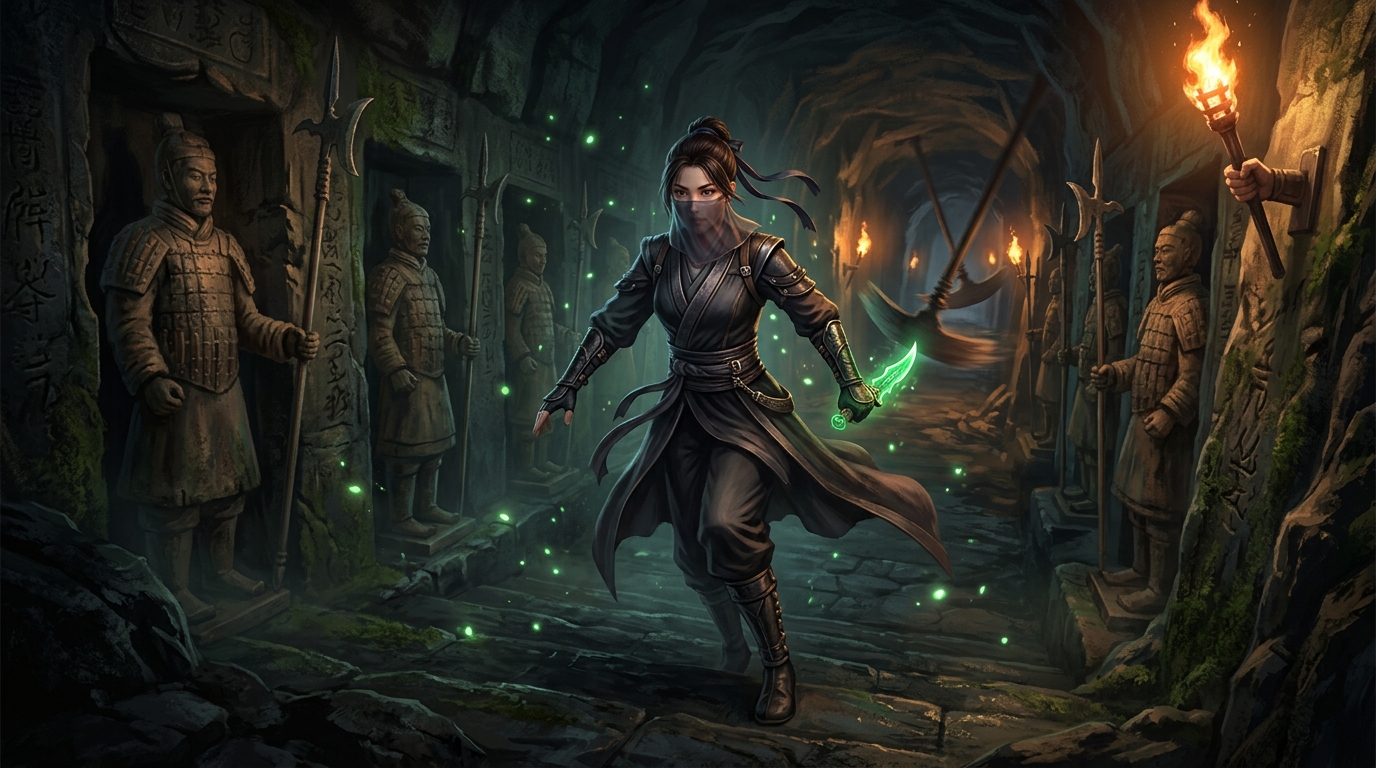
I generated 10-second atmospheric looping cutscenes using Google Flow driven by structured Wuxia prompts:
Cinematic slow tracking camera shot pushing forward through a grand subterranean
bronze bell belfry corridor. Ancient terracotta and iron automata sentinels stand
in menacing rows along the dark stone walls, holding massive bronze halberds with
glowing jade power cores in their chests. In the background, gargantuan suspended
bronze bells sway gently, emitting deep resonant vibrations. Golden Qi dust motes
and rising cavern steam drifting through atmospheric god rays, cinematic wuxia
dark fantasy, smooth steady 24fps motion.These were exported as 10-second, 24fps \(1280 \times 720\) video clips encoded to .ogv (Ogg Theora) for native, dependency-free playback inside Godot’s VideoStreamPlayer.
3. Voiceover & BGM via polyphon-audio
In my other post
Polyphon Audio: Local Voice Playground
, I explored running local speech inference on top of audio.cpp.
All narration and chapter voiceover lines in The Jade Crypt were synthesized using polyphon-audio. Because cutscene video clips loop on a strict 10.0-second cadence, voice lines had to be precisely timed to avoid overlapping slide transitions.
I scripted the narration lines to exactly 15–18 words with explicit inline [pause Ns] cues:
“Titanic clockwork gears grind above her. [pause 0.3s] Sulfur and ancient Qi churn—[pause 0.2s] the fortress awakens to hunt her bloodline.”
(18 words · 9.54 seconds as rendered)
polyphon-audio synthesized each phrase between pause markers and spliced exact millisecond silences into the final 16-bit, 24 kHz mono WAV file, leaving roughly a \(0.5\text{s}\) buffer before the slide completes. The dungeon ambient drones and traditional Chinese instrument arrangements were similarly generated using Stable Audio 3 Small (its Music and SFX models, as 8-bit GGUF builds) through polyphon-audio’s Sound & Music tab, which loads them on demand.
6. Reflections & What’s Next
Building The Jade Crypt has reinforced a few core game development principles:
- Constraints Spark Creativity: Locking physics to \(Z = 0\) eliminated an entire class of 3D movement bugs while letting us push Godot’s visual atmosphere as far as the hardware would allow.
- Automate Quality Early: Writing the headless chamber validator felt like overhead during the first week. By week three, when adjusting trap cadences across 37 chambers, being able to run
godot --headless --script tools/validate_chambers.gdturned hours of manual playtesting into a two-minute full-suite run. It does not replace playing, though: every rule encodes a human limit, and when real hands disagree with a rule—as they did with Chamber 12’s gate—the rule is what gets fixed. - Composable Toolchains Beat Monoliths: Rather than trying to make Godot do everything, treating the game as an assembly point for specialized sibling projects (
printablefor meshes,polyphon-audiofor sound, ASCII text for level layout) made a solo project feel manageable.
The game is playable in the browser, built and deployed to GitHub Pages by the repository’s own workflow on every push, and the full source code, ASCII chamber maps, and validation test suite are open source on GitHub:
- Play in your browser: https://seehiong.github.io/the-jade-crypt/
- Repository: https://github.com/seehiong/the-jade-crypt
If you’re building a platformer in Godot 4 or experimenting with automated level verification, feel free to dive into the codebase and borrow the pipeline!